Supplement tracker apps · Comparison
Which supplement tracker app fits your routine?
Five iPhone options that track vitamins and supplements in different ways. A practical comparison of how each one gets a product in, what it does with it and who it suits.
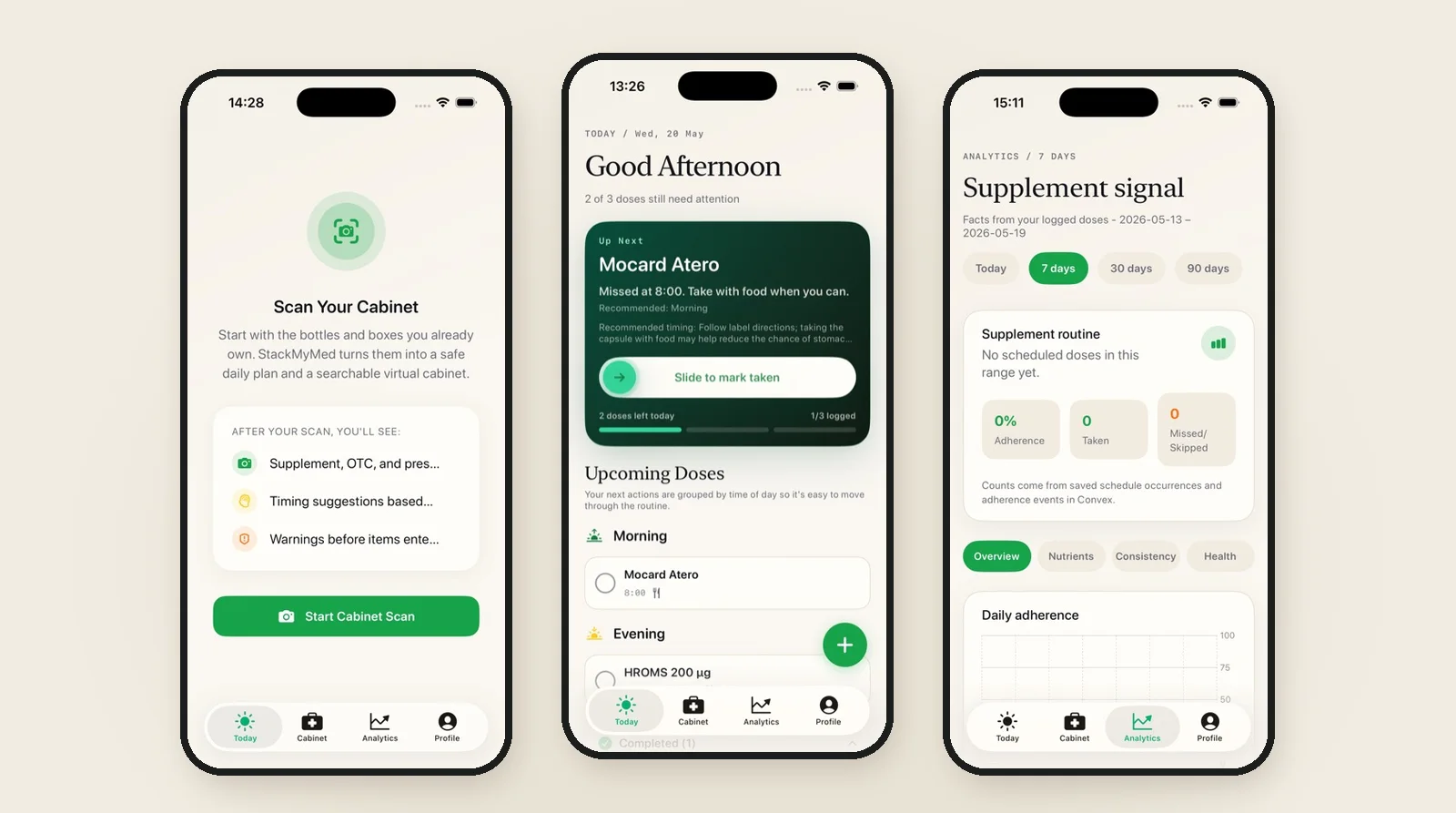
The best supplement tracker app is the one that matches how you already build and record your routine. Apple Health is the built-in place to start for vitamin and supplement reminders. SuppCo focuses on a large supplement database and product scoring. SuppleMate is a supplement-first reminder and dose log. Cronometer counts supplements inside a full nutrition diary. StackMyMed starts from the label photo and keeps supplements and medications in one schedule.
Disclosure: we make StackMyMed. This comparison uses each app's official App Store listing or support documentation, linked below and checked on 19 November 2026. We have not independently tested every competing app, and nothing here rates the medical quality of an app, a product or a routine.
Compare five supplement tracker options for iPhone
Most supplement apps can send a reminder. The differences show up in how a product gets into the app, what the app does with it, and what you can see afterwards. Decide which of those steps matters most to you before comparing feature lists.
| App | How a product gets in | Documented focus | Worth a look if you want |
|---|---|---|---|
| Apple Health | Type the name; camera lookup in the U.S. | Schedules, dose reminders, taken or skipped logs, PDF export | A free option already on your iPhone |
| SuppCo | Search a large supplement database | Stack building, reminders, nutrient totals, brand quality ratings | Product research alongside tracking |
| SuppleMate | Manual entry with supplement units | Flexible schedules, quick check-ins; inventory and expiry in Pro | A simple supplement-first log |
| Cronometer | Food search, barcode scan or custom entry | Supplements counted with food in a nutrition diary | Supplements as part of nutrition tracking |
| StackMyMed | Scan the label, then review the fields | Saved product records, schedules, taken or skipped logging, interaction context | Supplements and medications from real labels |
Prices, free tiers and features change. Check the current App Store listing in your own country before choosing, and read the subscription terms. "Free to download" often means a free tier with paid features on top.
Apple Health: the built-in starting point
The Health app's Medications section accepts vitamins and supplements as well as medicines. Apple documents adding a product, choosing its type and strength, setting a schedule, turning on dose reminders and logging each dose as Taken or Skipped. Follow-up reminders can alert you again if a scheduled dose has not been logged after 30 minutes, and you can export the list as a PDF.
That covers a lot of routines at no extra cost. The limits are in the details: some features, including camera lookup and interaction information, are documented for the United States only, and a supplement that is not in Apple's lookup is entered by hand. Our step-by-step Apple Health guide walks through the setup and the points where a dedicated app may help.
SuppCo: a supplement database with product scoring
SuppCo's App Store listing describes a database of more than 160,000 supplements, a personal stack with a schedule and daily reminders, nutrient totals, and a TrustScore rating for more than 500 brands. It also lists expert-built supplement plans and product research by category.
That makes it a fit for someone who wants research and shopping tools in the same place as the reminder. If you only want to record what you already take, check whether the research features help you or add screens you will not use. SuppCo's ratings and plans are its own; read them as one input, not a personal recommendation.
SuppleMate: a simple supplement-first log
SuppleMate describes itself as built for supplement routines rather than generic pill reminders. Its listing documents schedules by weekday or interval, time labels such as Morning or Night, units including mg, IU and scoops, and quick check-ins from a Today view. Inventory tracking, low-stock alerts and expiry dates are listed as Pro features, and it says you can start without an account.
Consider it when you want to enter products yourself and keep a clean daily checklist. Because entry is manual, the accuracy of each record depends on what you type from the label.
Cronometer: supplements inside a nutrition diary
Cronometer is a nutrition tracker first. Its support pages explain that you add a supplement the same way you add a food: search the database, scan a barcode in the mobile app, or create a custom entry from the label. The supplement then counts toward the vitamin and mineral totals in your diary.
This suits someone who already logs meals and wants supplements in the same totals. It is a different job from a reminder app. If your goal is simply to remember the morning and evening bottles, a nutrition diary can be more work than you need.
StackMyMed: start from the label you already have
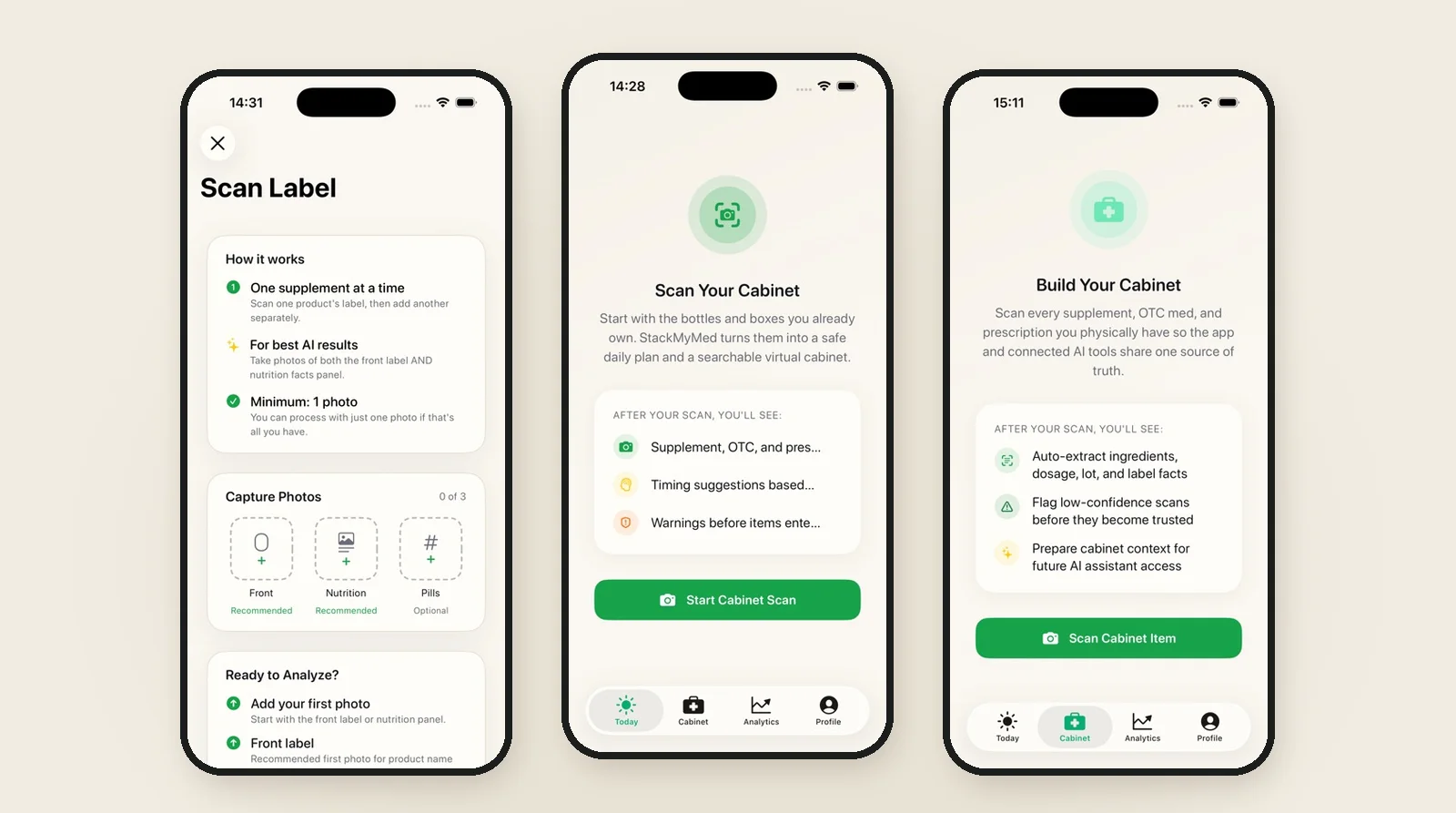
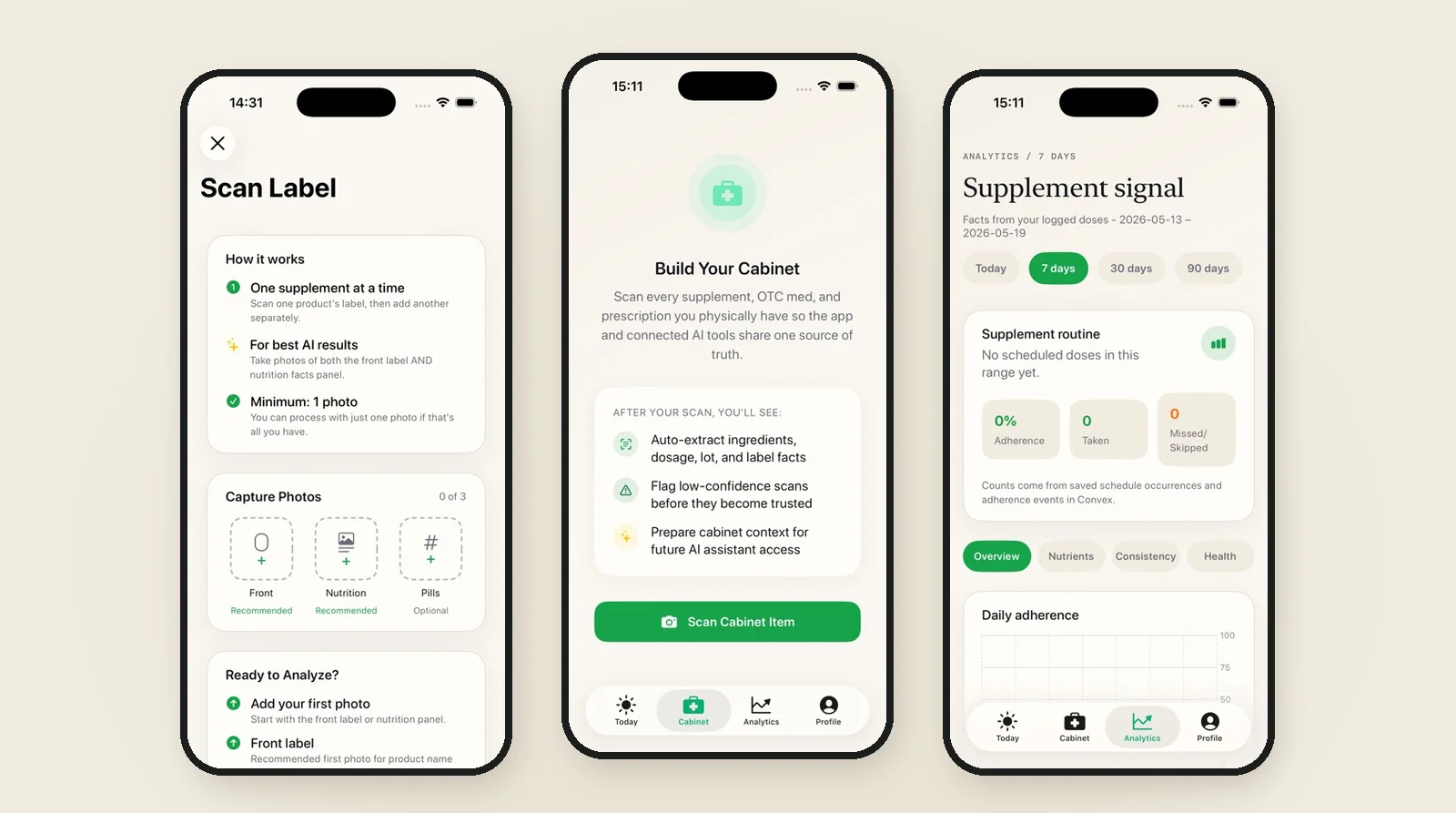
StackMyMed is built around the bottle. You photograph the front label and the Supplement Facts panel, review what the app extracted, and save the product to your cabinet. From there you set its schedule, log each dose as taken or skipped, and keep supplements, over-the-counter products and prescriptions in one routine. You can set every reminder time yourself.
The scan is AI-assisted, so it needs your review before you rely on it. Our guide to scanning and checking a supplement label shows what to look for. When you want the schedule side, see how supplement reminders work in the app.
StackMyMed runs on iPhone with iOS 18 or later. The public app starts with up to five product scans, with an optional annual Premium subscription for more. It is a personal routine tool: it does not offer brand quality scores like SuppCo or a full food diary like Cronometer.
How to choose: five questions
A star rating tells you little about whether an app fits your routine. Ask these questions about each option instead:
- Entry: will you type each product, search a database, scan a barcode or photograph the label? How many products do you have?
- Mixed routine: do you also take medications, and do you want them on the same schedule?
- Schedules: can the app represent the days and times you already follow, including every-other-day or weekly items?
- Records: can you see taken, skipped and not yet logged at a glance, and export or share a list when you need one?
- Cost and data: what is in the free tier, what does the subscription add, and what does the privacy information say?
Try the app with three or four of your real products before moving everything. If the names, strengths and times are easy to check against the bottles, the rest of the routine will be easier to keep accurate.
What a supplement tracker can and cannot tell you
A tracker records a plan and what you did. It does not decide whether a product, an amount or a combination is right for you. Ratings, nutrient totals and interaction features also differ in their sources and coverage, and a lack of warnings in one app is not evidence that a combination is safe.
Keep your product labels and the advice of a pharmacist or clinician as the reference. For StackMyMed, our methodology page explains how to read scanned information and interaction results.
Common questions
Can Apple Health track supplements?
Yes. Apple's Medications feature in the Health app covers vitamins and supplements with schedules, reminders and taken or skipped logs. Some lookup and interaction features are available only in the United States.
Is there a supplement tracker that also handles prescriptions?
Several options do, including Apple Health and StackMyMed. For a comparison focused on medication reminders, read our pill reminder app comparison.
Do I need to scan my supplements?
No. Scanning saves typing and keeps the label details with the product, but manual entry works too. Whichever method you use, check the saved name, strength and serving details against the package.
Published by the maker of StackMyMed. Product descriptions were checked against linked official sources on 19 November 2026. Read our editorial approach or report a correction.
StackMyMed for iPhone
Track supplements from the labels you already own.
Scan labels, set your product schedules and record taken or skipped doses. Start with up to five scans.
Download on the App Store ↗Explore the supplement tracker